Understand medical reports with a structured AI-assisted workflow.
KnowYourReport extracts PDF and image medical reports locally, uses OCR for scanned documents, and sends the prepared report to the AI provider you choose for structured multilingual assessment and export.
Built for real report workflows
✓ Native PDF text extraction
✓ Local OCR for scans and images
✓ Gemini, OpenAI, Groq + compatible providers
✓ Structured multilingual output
✓ PDF, Markdown and UTF-8 text export
✓ Local encrypted API-key configuration
One Windows app, from source report to structured assessment
📄 PDF & image extraction
Work with selectable PDFs or scanned reports and common medical-report image formats.
🔎 Local OCR
EasyOCR-based local recognition is used when a report does not contain usable native text.
🤖 Choice of AI provider
Configure Gemini, OpenAI, Groq or compatible/custom providers and validate models before use.
🌍 100 languages
Create structured report output in exactly 100 supported languages, plus custom-language support.
💾 Local history
SQLite-based local persistence for users, history, report metadata, cache and audit information.
📤 Structured exports
Download Unicode PDF, Markdown and UTF-8 text outputs with language-aware filenames.
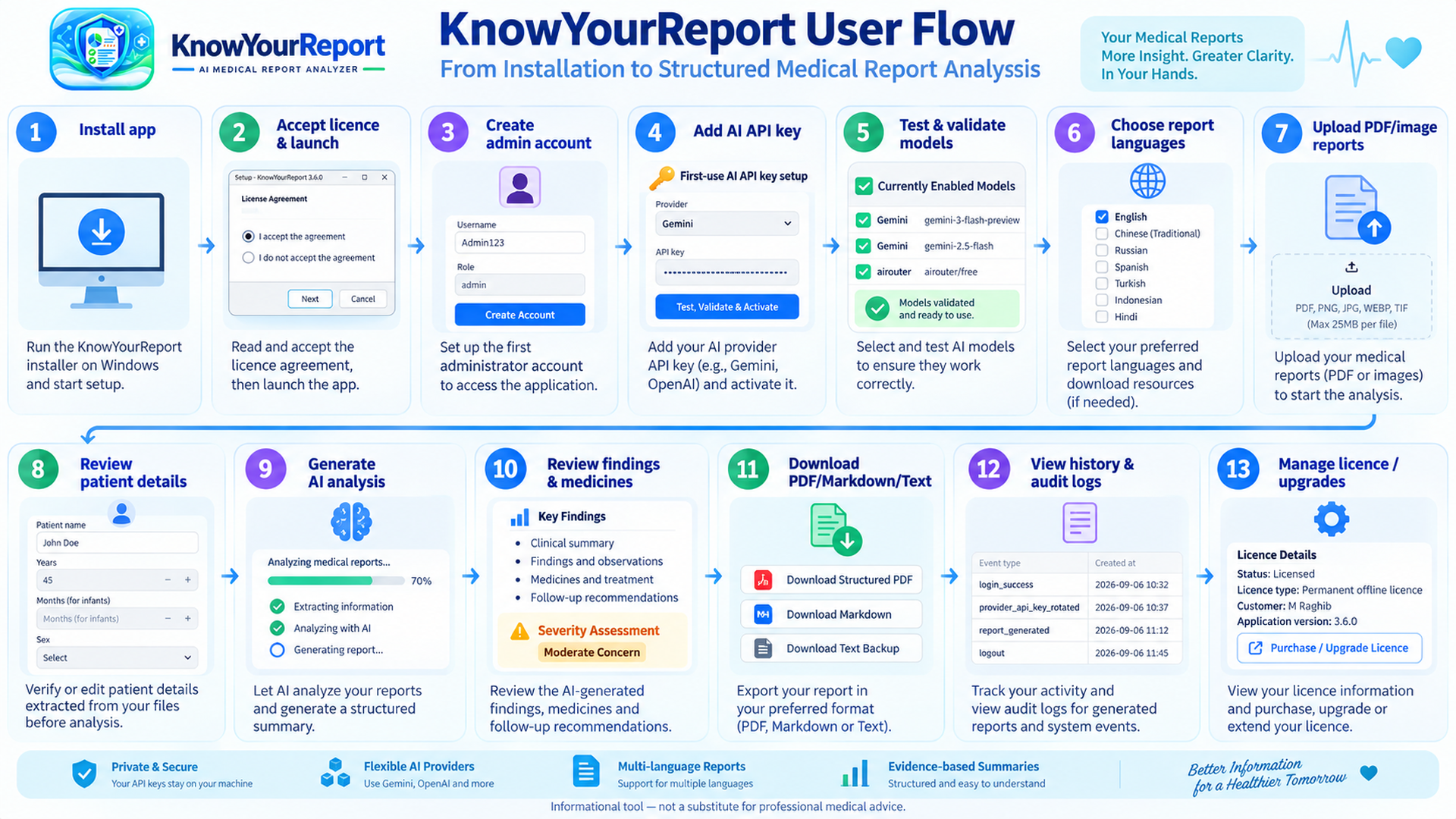
See the complete user flow
The marketing package includes a four-minute narrated tutorial covering installation, AI setup, report upload, live generation, review and export.
API-key privacy
When AI analysis is requested, report content may be transmitted to the AI provider selected by the user. An optional patient-identification masking setting is available.
Get started
Medical-use notice
KnowYourReport is an information-processing and report-assistance tool. It is not a substitute for qualified medical advice, diagnosis, treatment, emergency care or clinical judgment. Verify AI-generated output against the original report and consult a qualified healthcare professional when appropriate.